Virtual Machine Basics: Learn How VMs Work

👋 Hello! I’m Ansari Anas, Passionate about DevOps. Currently upskilling in DevOps tools and practices to bridge the gap between engineering and technology. Passionate about learning, problem-solving, and contributing to efficient software delivery.
SKILLS:
🔹 Languages & Runtimes: Python, Shell Scripting
🔹 Cloud Technologies: AWS
🔹 Other Tools: Linux, Git, Jira,
🔹 Web Development: HTML, CSS, JavaScript React.js, Tailwind CSS
🤝Let's Connect & Grow:
If you find my profile suitable for the role you are searching for, please feel free to reach out to me at ansariii.5130@gmail.com
What is a server?
Server is a computer system that provides resources, data, services or program to other computer called clients, over a network, server can be physical and virtual.
Examples of servers:
🌐 Web Server → Hosts websites (e.g., Apache, Nginx).
💾 Database Server → Stores and manages data (e.g., MySQL, MongoDB)
⚙️ Application Server → Runs business applications.
What is Virtual Machine?
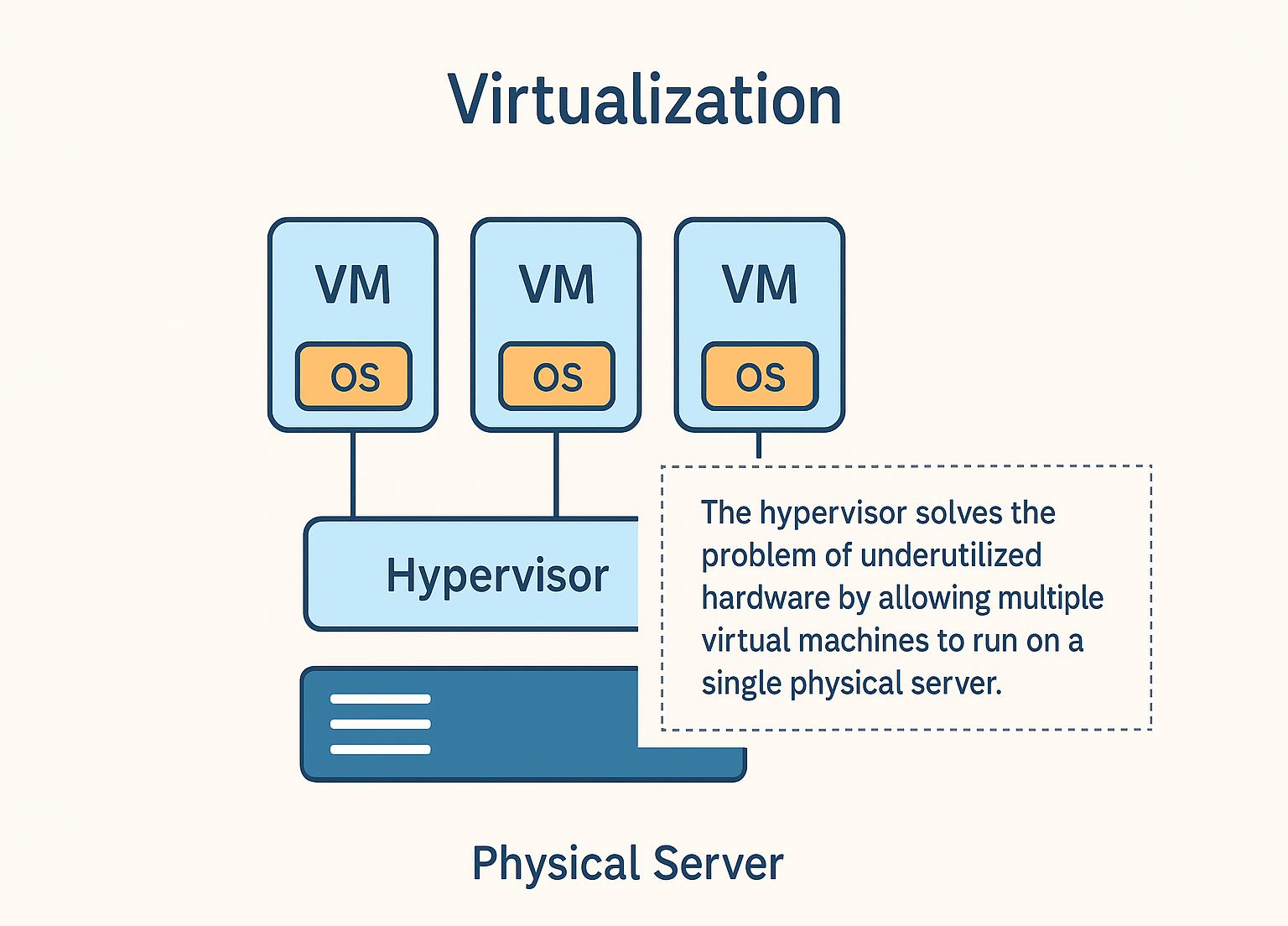
A Virtual Machine (VM) is a software-based computer system that runs inside a physical machine. It behaves just like a real computer it has its own CPU, memory, storage, and operating system. The main advantage of a VM is that you can run multiple operating systems on the same hardware, such as running Linux and Windows on one powerful server.
Physical server Vs Virtual server
1. Physical Server: A dedicated hardware machine with one operating system. If you want to run 3 different apps with different OS requirements, you’ll need 3 separate physical servers.
2. Virtual Server: A virtualized environment created inside a physical server. Here, one physical server can host multiple virtual machines. This saves cost, power, and space while improving efficiency.
Example: Instead of buying 5 different computers for 5 developers, you can set up 5 VMs inside a single physical machine.
What is a Hypervisor in Virtual Machines?
Hypervisor is software that can install virtual machines(VM) on our physical server what actually we are doing we are creating let say five difference virtual server on a single physical server each virtual server has its own CPU, Memory and storage. We can install different OS on different virtual machine.
There are two types of hypervisors:
Type 1 (Bare Metal Hypervisor) – Installed directly on hardware (e.g., VMware ESXi, Microsoft Hyper-V).
Type 2 (Hosted Hypervisor) – Installed on top of an operating system (e.g., VirtualBox, VMware Workstation).
How to create virtual machine
Creating a VM is simple using tools like VirtualBox, VMware, or cloud providers like AWS, Azure, or GCP. The general steps are:
Install a hypervisor (e.g., VirtualBox).
Allocate resources (CPU cores, RAM, storage).
📀 Select an ISO image of the operating system (Linux, Windows, etc.).
▶️ Boot the VM and install the OS.
🖥️ Start using your virtual environment just like a physical machine.
Real world example
Imagine a DevOps team working on multiple applications:
One app requires Ubuntu Linux🐧.
Another app requires Windows Server.
A third app needs CentOS 📦.
Instead of buying 3 separate servers, the team can create 3 VMs on a single powerful physical server. This setup allows them to:
Test different environments.
Roll back easily if something breaks.
Scale quickly without high costs.
This is exactly how companies reduce infrastructure costs and speed up development using virtualization.
Why Virtualization is important in DevOps
Saves cost by avoiding extra hardware.
Faster testing and deployment.
Easy rollback and recovery.
Helps in creating staging & production environments quickly.
Short Forms & Abbreviations
VM - Virtual Machines
OS - Operating System
Conclusion
Virtual Machines let you run multiple “computers” on a single physical server. They save cost, space, and time while making testing and deployment easy. For beginners and DevOps teams alike, VMs are a simple way to work efficiently without needing extra hardware. 🚀


